Articles Tagged “Ubuntu”

  • Installing And Using ZFS In Linux Mint / Ubuntu – Part 4

    Installing And Using ZFS In Linux Mint / Ubuntu – Part 4

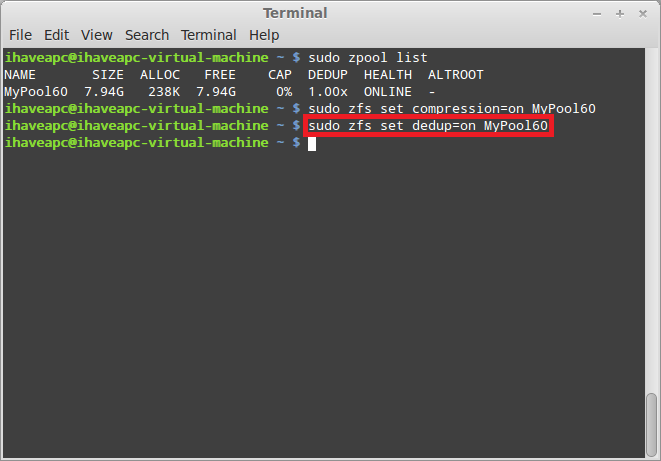
    Continuing from Part 3, in this part of the tutorial, we will learn about modifying the properties of the ZFS pool and destroying the ZFS pool. 1. Let us view the list of ZFS pools available in the system. Issue the following command at the terminal – sudo zpool list 2. As seen in the [...]

  • Installing And Using ZFS In Linux Mint / Ubuntu – Part 3

    Installing And Using ZFS In Linux Mint / Ubuntu – Part 3

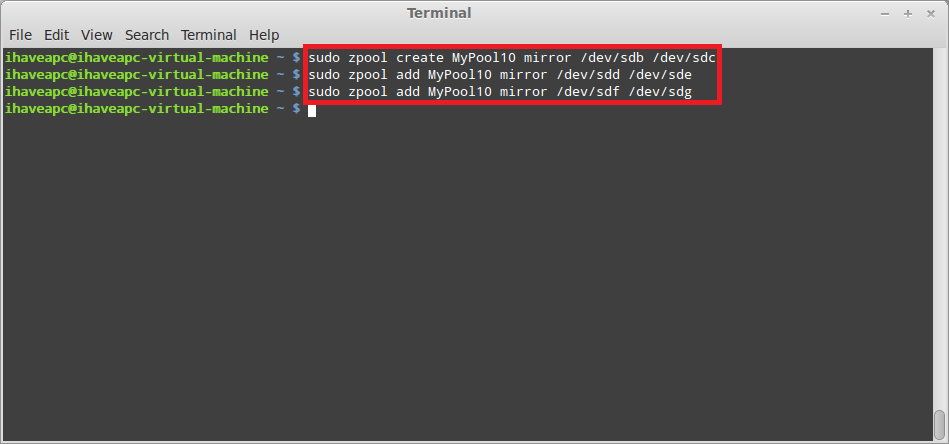
    Continuing from Part 2, in this third part of the tutorial, well learn how to create ZFS storage pools with RAID 10, RAID 50 and RAID 60. We will use the same 9 virtual HDDs of 1 GB each used in Part 2 to create these pools after destroying the ZFS pool MyPool1, MyPool2 and [...]

  • Installing And Using ZFS In Linux Mint / Ubuntu – Part 2

    Installing And Using ZFS In Linux Mint / Ubuntu – Part 2

    Continuing from Part 1, in this second part of the tutorial we’ll learn how to create ZFS storage pools with different RAID levels. For demonstration purpose, we have added 9 virtual HDDs to our system with 1 GB capacity each. Let’s install ‘lsscsi’ utility to list these HDDs. 1. Issue the following command at the [...]

  • Installing And Using ZFS In Linux Mint / Ubuntu

    Installing And Using ZFS In Linux Mint / Ubuntu – Part 1

    If you need to create a cheap storage sub-system for storing critical data with disk redundancy, ZFS is one of the best solutions for you. In this series of tutorials, we will learn how to install ZFS on Linux Mint / Ubuntu, how to create / manage storage pools of various RAID levels and how [...]

  • How To Install And Use PuTTY In Linux Mint / Ubuntu

    How To Install And Use PuTTY In Ubuntu 12.04/Linux Mint 13

    Here’s how to use PuTTY in  Ubuntu 12.04 / Linux Mint 13: 1. Issue the following command at the terminal – sudo apt-get install putty 2. After the installation is complete, click on ‘Menu>Internet>PuTTY SSH Client’. 3. Enjoy PuTTY in Linux Mint / Ubuntu.

  • How To Quickly Mount Windows Share From Terminal In Linux Mint / Ubuntu

    How To Quickly Mount Windows Share From Terminal In Linux Mint / Ubuntu

    Here’s how to quickly mount Windows share from terminal in Linux Mint / Ubuntu: 1. Issue the following command at the terminal to install smbfs – sudo apt-get install smbfs 2. After smbfs installation is complete, issue the following command at the terminal to create a local directory for mounting the Windows share to – [...]