Quickly View Directory Structure Through Terminal In Linux Mint/Ubuntu
Having a lot of folders and subfolders within them can make it somewhat messy to manage them.
Tree is a useful Linux tool that shows the entire directory/folder  structure in an easy to read tree like form using a nicely colored output all through the Linux Terminal.
To install it :
Open Terminal in Linux Mint / Ubuntu and type :
[cc lang=”bash”]
sudo apt-get install tree
[/cc]
After it is installed, type either “tree” or add the specific directory path after it to see the entire folder structure. (If nothing is specified, tree will list the structure of present working directory). For example, to see the directory structure of /var/log, simply type :
[cc lang=”bash”]
tree /var/log
[/cc]
Some useful parameters that can be used with tree are :
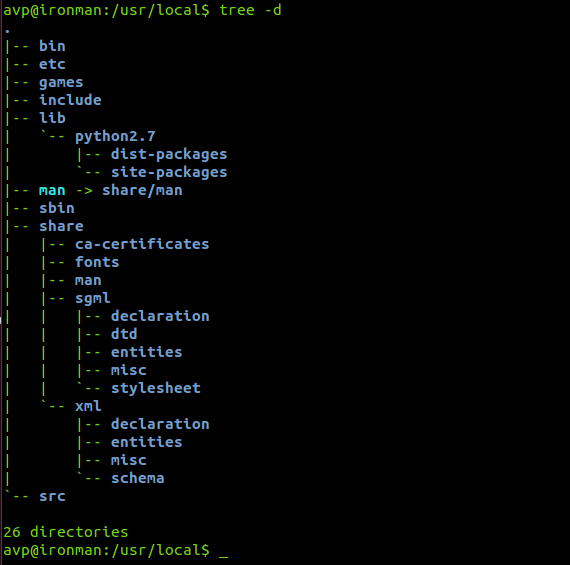
Listing only directories with the -d parameter :
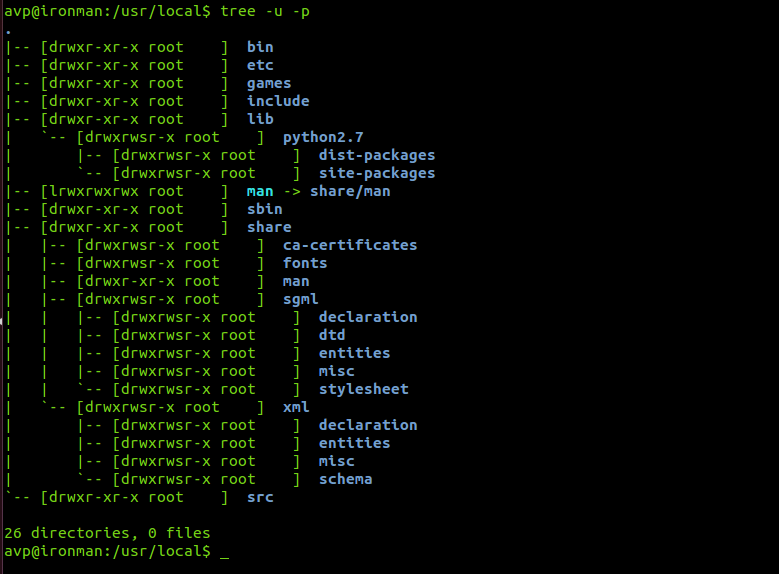
Listing the user id as well as file permissions using the -u and -p parameters :
For really long and deep directory structures, it is better to use the ‘less’ switch to avoid the output from scrolling by typing tree|less.
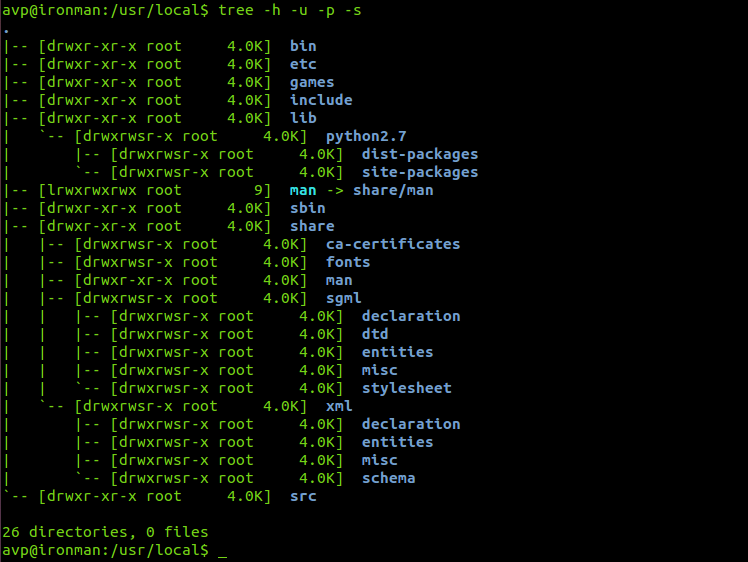
For getting the directory/folder size in easy to read form like kilobytes (K), megabytes (MB) and so on, add the -h parameter :
Cheers.