Sometimes you me be required to to find out how much memory is supported by you Linux system. Here’s how you can quickly find out the maximum amount of memory supported in Linux from terminal:
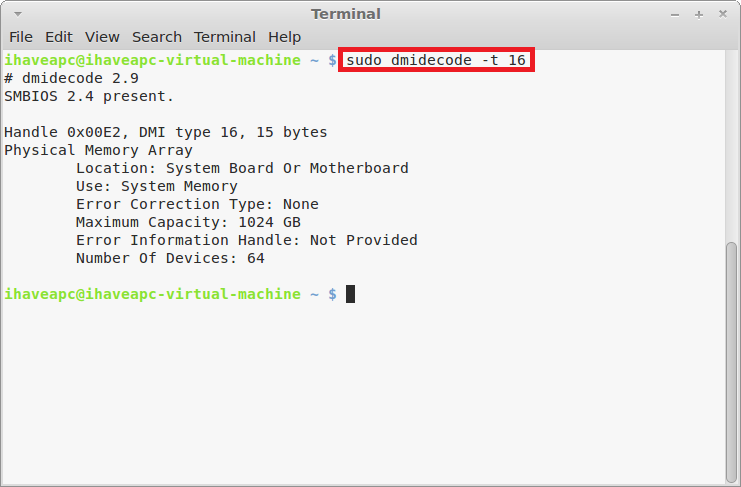
1. Issue the following command at the terminal –
sudo dmidecode -t 16
2. The resulting output will show you the maximum memory supported by you Linux system, but of course, the amount of memory that you can physically install will depend upon the number of DIMM slots on you mother board and the maximum capacity supported by a single DIMM slot.