How To Use Vim Editor With GUI In Linux Mint / Ubuntu
April 7, 2011
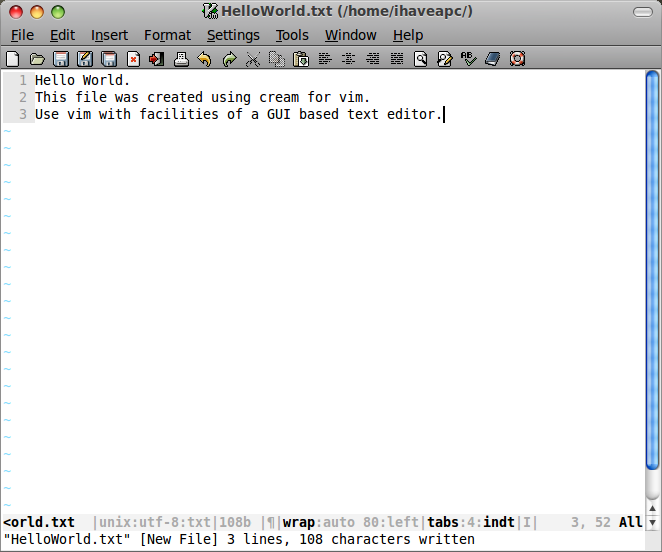
Here’s how to use Vim editor with GUI in Linux Mint / Ubuntu:
1. Install Cream for Vim. If you have Vim installed, issue the following command at the terminal –
sudo apt-get install cream
or if you don’t have Vim installed, issue the following command at the terminal –
sudo apt-get install vim cream


2. After the installation is complete, click on ‘Menu>Accessories>Cream’ to start the application.

3. Start using Vim with all the facilities of a GUI based text editor!

Notes: Keep Sticky Thoughts in Google Drive
From Smoke Signals to Spam: A Whirlwind Tour of Email Evolution
Quickly Find Out Types Of Links On A Web Page When Using Firefox
2 Comments
it realy helped… thanks a lot..
This would be like adding a pull-down menu interface around bash and boasting that now you are a bash user. Vim enables awesome editing abilities because of its keyboard interface and modal style, and Cream undoes almost all of it. The Kate text editor has a vi mode. It’s terrible, because at its heart Kate is a modeless editor. Vim, as Cream, is just as terrible, because at its heart it is a modal editor. The advantages that accrue to Vim users are erased in Cream by having to use the mouse and pull-down menus. It becomes just another modeless editor, and not a very good one, either.
:wq