How To Add ‘Run’ Command To Windows 7 Start Menu
February 23, 2011
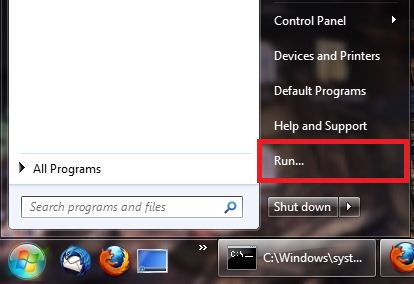
Here’s how to add the ‘Run’ command to the Windows 7 start menu:
1. Right click the taskbar and select ‘Properties’.

2. Click on ‘Start Menu’ tab and then click the ‘Customize…’ button.

3. Scroll down and check the option ‘Run command’.

Click ‘OK’ when done.
4. Click ‘OK’ to close the ‘Taskbar and Start Menu Properties’.

5. The ‘Run’ command has been added to the Windows 7 start menu.