How To Install Restricted Extras In Ubuntu 10.10 ‘Maverick Meerkat’
The Ubuntu Restricted Extras will install Adobe Flash Player(adobe-flashplugin), Java Runtime Environment (JRE) (openjdk-6-jre) with Firefox plug-ins (icedtea), a set of Microsoft Fonts (ttf-mscorefonts-installer), multimedia codecs (w32codecs or w64codecs), mp3-compatible encoding (libmp3lame0), FFMpeg(gstreamer0.10-ffmpeg), extra Gstreamer codecs, the package for DVD decoding (libdvdread4), the unrar archiver(unrar), odbc, and cabextract. It also installs many other extra codecs and avutils (libavcodec-extra-52 and libavutil-extra-50).
Here’s how to install Ubuntu Restricted Extras in Ubuntu 10.10:
1. Issue the following command at the terminal –
sudo cp -i /etc/apt/sources.list /etc/apt/sources.list_bkp
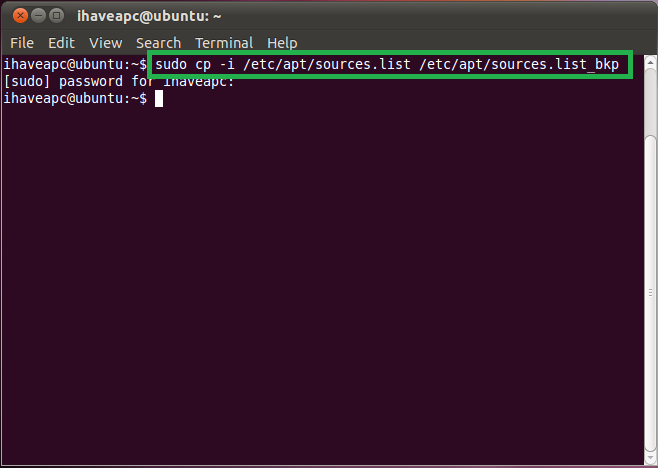
This will backup your ‘sources.list’ file to ‘sources.list_bkp’.
2. Issue the following command at the terminal –
gksudo gedit /etc/sources.list

3. Append the following at the end of the file –
## Medibuntu – Ubuntu 10.10 “maverick meerkat”
## Please report any bug on https://bugs.launchpad.net/medibuntu/
deb http://packages.medibuntu.org/ maverick free non-free
deb-src http://packages.medibuntu.org/ maverick free non-free

Click ‘Save’ and then close gedit when done.
4. Issue the following command at the terminal –
wget –quiet http://packages.medibuntu.org/medibuntu-key.gpg -O – | sudo apt-key add –

This will import the gpg key for the medibuntu repository.
5. Issue the following command at the terminal –
sudo apt-get update

This will retrieve/update the package list from all the repositories listed in ‘sources.list’ file.
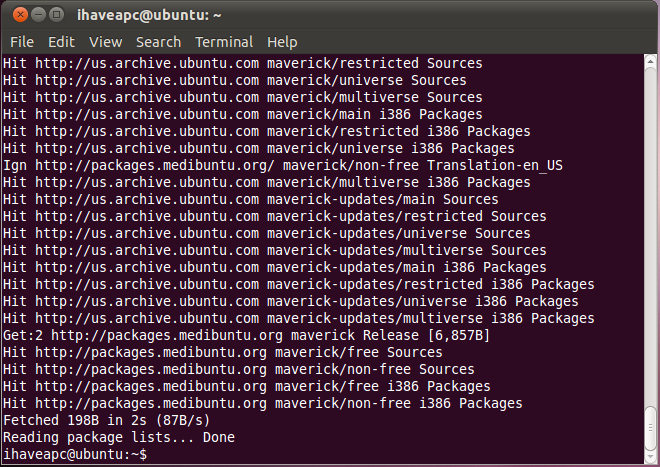
6. Now, to install the restricted extras, issue the following command at the terminal –
sudo apt-get install ubuntu-restricted-extras

How To Send Emails At A Later Date And Time In Outlook.com

How To Control Services Starting At Boot-Up In Linux Mint / Ubuntu
Thank you !
I just signed up to your blogs rss feed. Will you post more on this subject?
We’ll keep posting tips and tricks for Ubuntu/Linux Mint users here. Keep on visiting us. Do let us know if you are seeking any specific information and we’ll make it available here for you 🙂
Helpful blog, bookmarked the website with hopes to read more!
Thanks Jatin, feel free to visit often 🙂
Cheers.
These are great articles, I really appriciate your work.